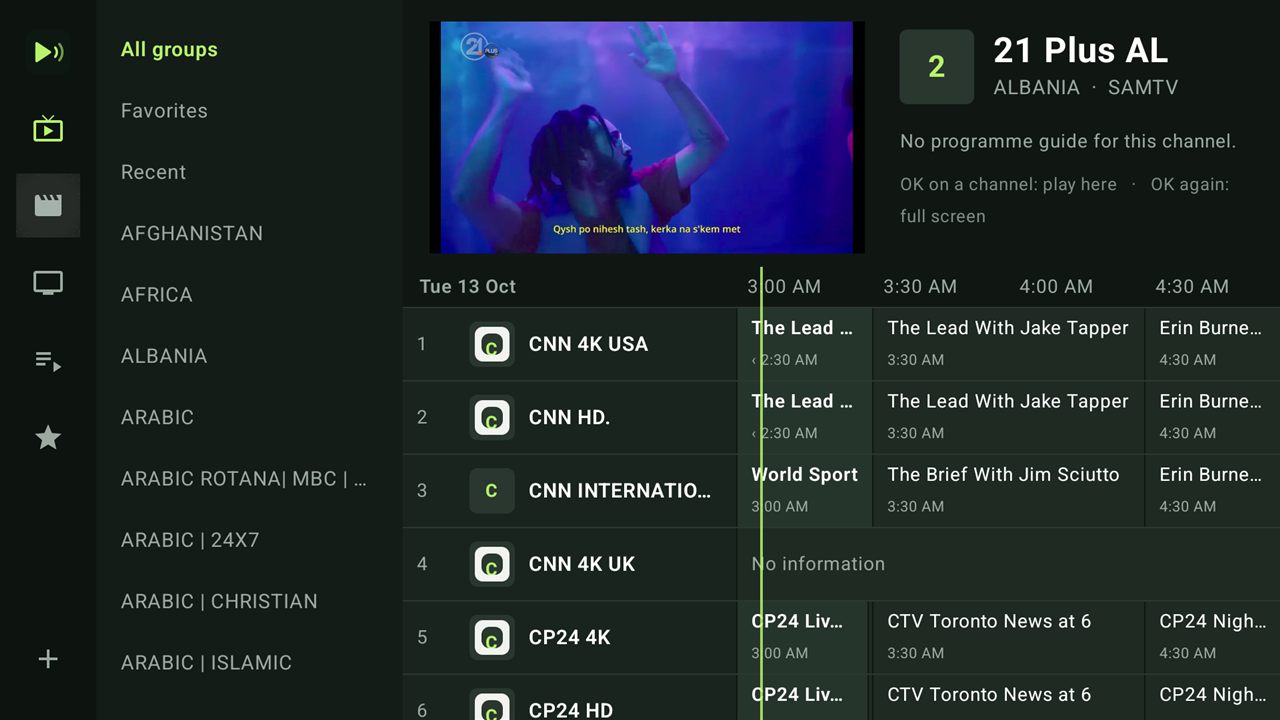
Programme guide
A full TV guide with a live preview: see what's on now and next, and jump in with one press.
IPTV and media player for Android TV, Google TV, phones, Windows & Linux
A fast, remote-friendly player for your own Stalker, M3U and Xtream playlists and your own video folders, with a real TV guide, posters for Movies & Series, and everything synced between your TV, phone and computer.
Why Airwave
A full TV guide with a live preview: see what's on now and next, and jump in with one press.
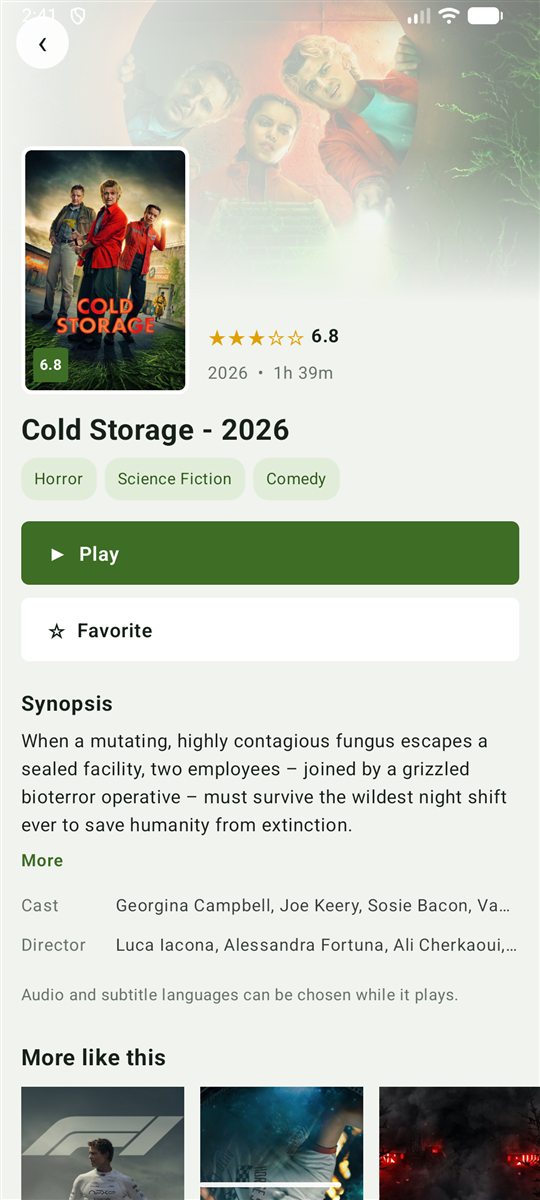
Posters, ratings, cast and synopsis, with seasons and episodes laid out the way you browse.
Movies and episodes remember where you stopped, so Resume takes you straight back.
Switch audio language and subtitles while you watch; Airwave remembers your choice.
Add a playlist once on the web or in the app, and it appears on your TV, phone and computer.
Playlist logins are encrypted, and your devices talk to your provider directly; our servers never do.
On your TV
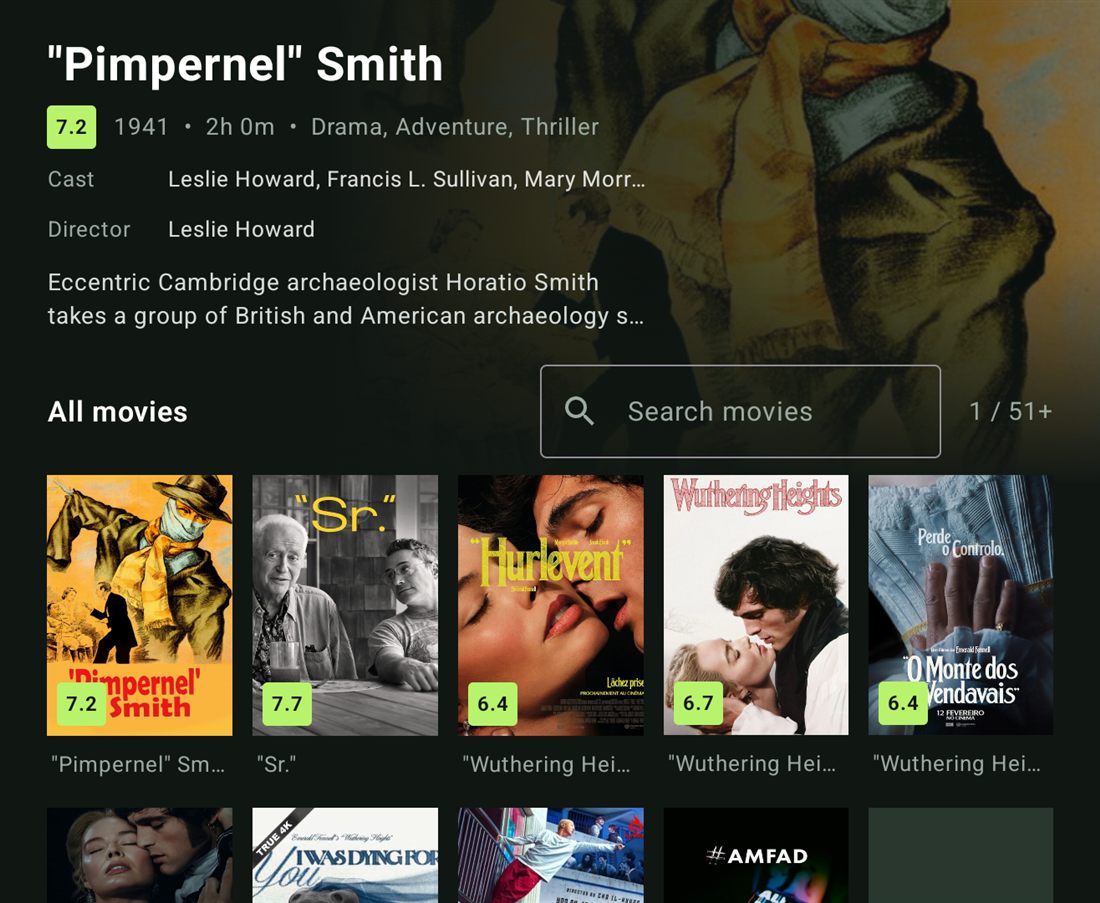
Groups on the left, the title you're on at the top with its rating, cast and synopsis, and posters below. Long-press to add a favourite. Everything works with the arrow keys and OK.
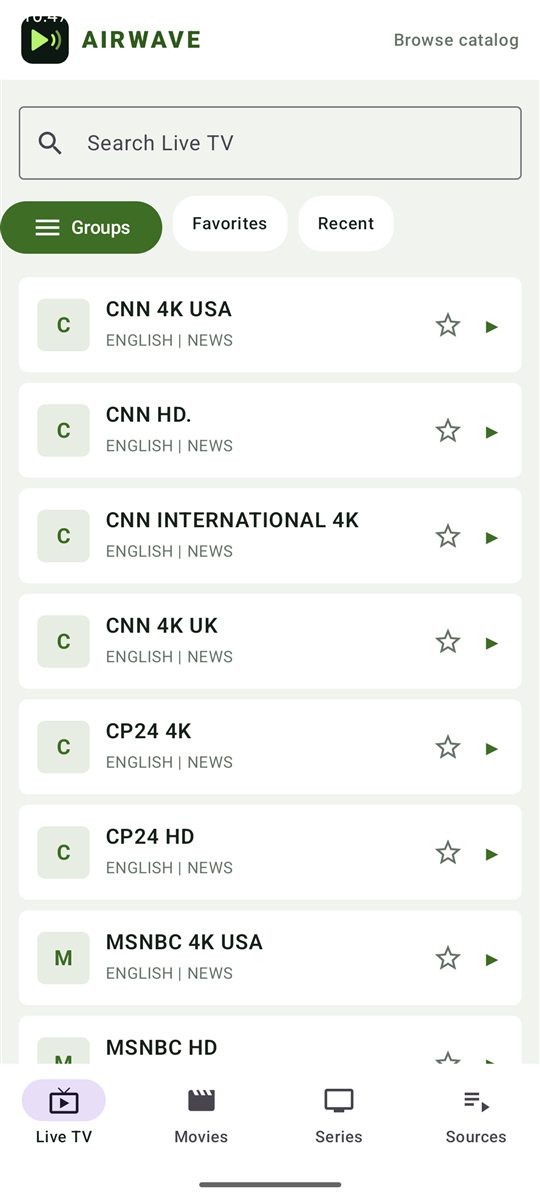
On your phone
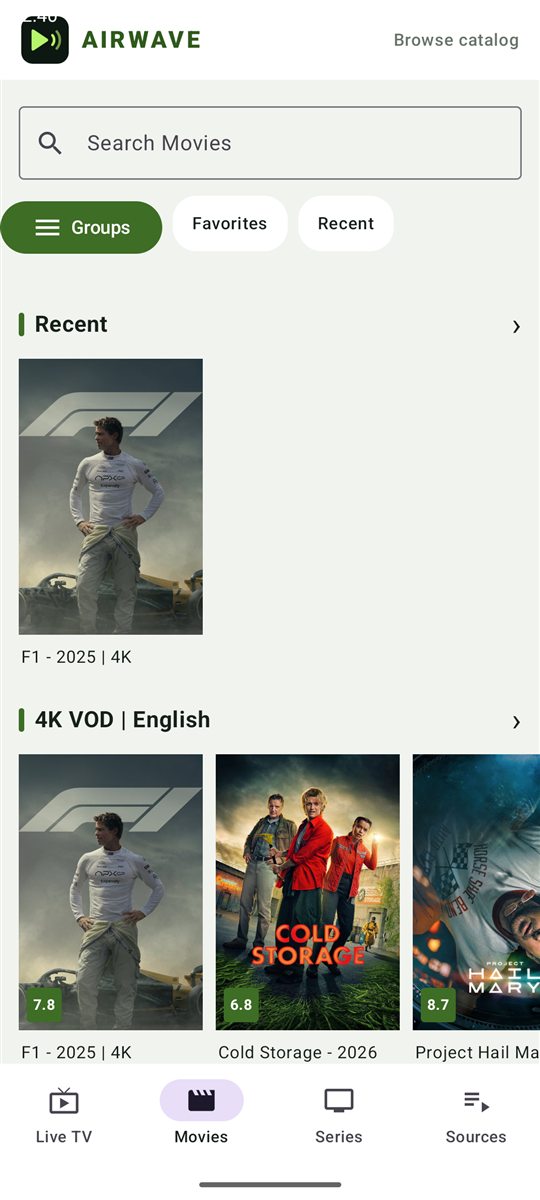
Swipe through rows of posters, open a title for its details, and play. Live TV shows what's on now, with the day's programmes under the player.
New · On your computer
The same TV layout on your PC or laptop, in a window or full screen. Sign in with the code on screen and your playlists, favourites and Media are already there.
New · Media
Point Airwave at a folder of videos you own, on a website you run or on a computer or NAS at home. It reads that folder and every folder inside it, and lists all the videos together under Media.
A web address that lists files (an “Index of” page from Apache, nginx and similar servers). Add a username and password if the folder needs them.
A shared folder on your home network (SMB), such as a NAS or a shared folder on your computer. Guest shares and shares with a sign-in both work.
One list per source, sorted A–Z, with each video’s format, size and date. Search it, add favourites, and use Next and Previous while you watch.
Only add folders and shares you own, or that you have the owner’s permission to play. Airwave plays what is in the folders you add; it does not provide, host or check any of it, and you are responsible for having the right to watch it.
Get started
Sign up on the web in under a minute and verify your email.
Stalker portal, M3U link or Xtream login, or a folder or network share of your own videos: from the website or the app.
Install Airwave on your Android TV, phone, Windows PC or Linux computer, sign in, and your playlists are there.
Plans
Loading plans…
Create your account, add your playlist, and press play.
Important: Airwave is a media player only and does not provide any content. Airwave is not affiliated with any content provider and does not endorse the use of illegal content sources. To watch anything, you must add your own playlists. Any paid subscription or premium upgrade unlocks application features only; it does not include, or provide access to, any channels, streams, or media content.
Web folders and network shares you add must be your own, or ones whose owner has allowed you to play their contents. You alone are responsible for having the rights to everything you play from them.